
Get Started for Managers
This page shows you, as a manager, how to set up and run Troopr Check-ins for your team. You create a team, turn on the Automated Standup, and add other check-in types as you need them. Troopr writes each person's standup from their activity, so you set up the check-in once and let it run.
[!NOTE] Before you start, Troopr must be installed in your Slack workspace and your Jira connection must be in place. See [Get started with Troopr](https://docs.troopr.ai/get-started) and [Connect to Jira Cloud](https://docs.troopr.ai/project/connect-to-jira-cloud).
Create your team
A team owns a default Slack channel, one or more Jira projects, one or more GitHub repos, and a roster.
1. Create a team by pointing Troopr at a Slack channel or a Jira project.
2. Review the roster Troopr pulls from that channel or project. Troopr keeps it in sync and asks you to confirm before it adds anyone new.
3. Confirm the channel, project, and repo. These become the defaults for check-in delivery.
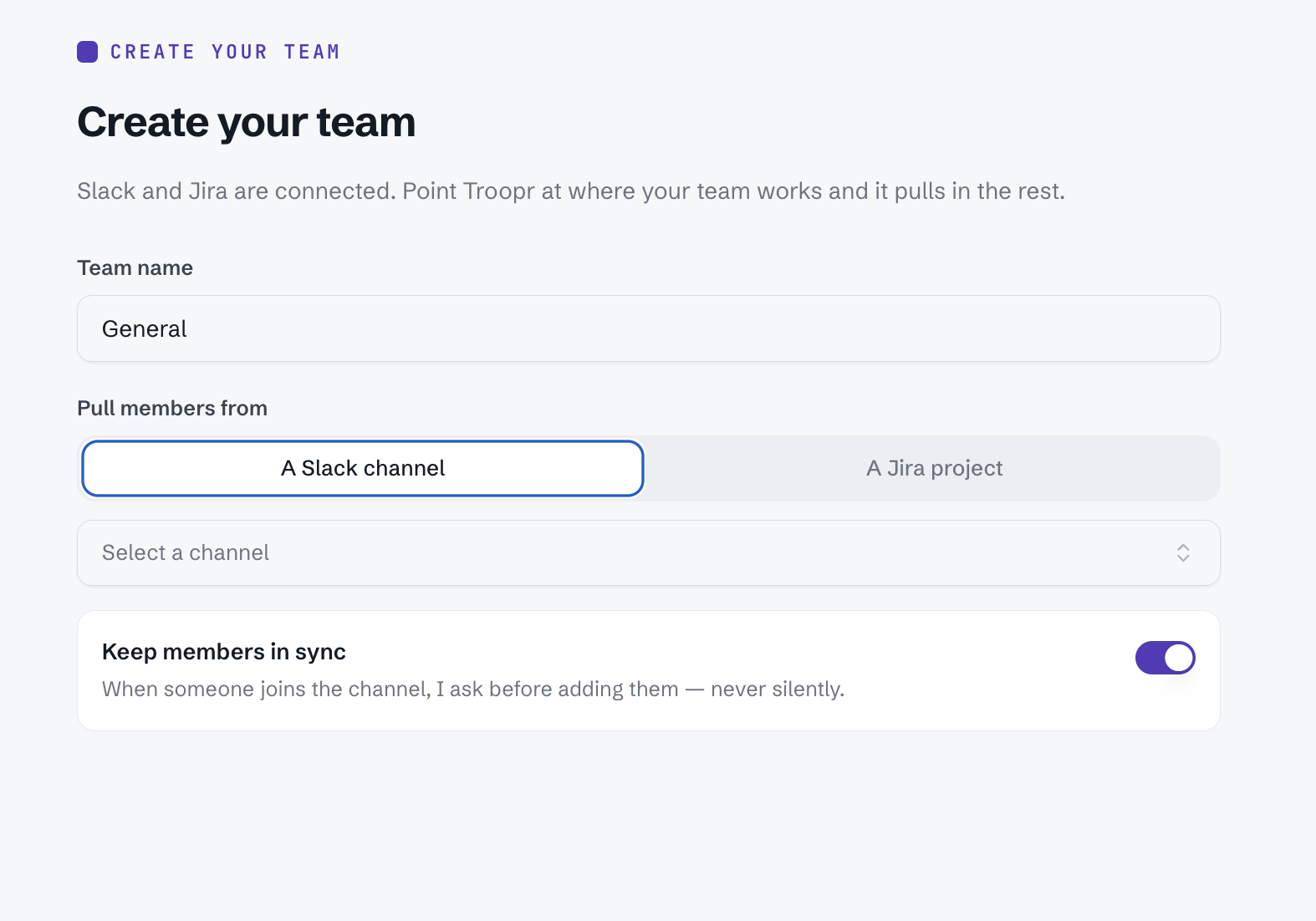
Read more in [Create a team] https://docs.troopr.ai/how-to-create-a-team-in-troopr).
Set up the Automated Standup
The Automated Standup is the recommended check-in. Troopr writes each person's update from their Jira, GitHub, and Slack activity, so you do not configure standup questions.
1. Create the Automated Standup for your team.
2. Set the schedule and the days it runs.
3. Confirm the delivery channel. The team's default channel is preselected.
4. Troopr reads through activities across Slack , Jira and Github and Gmeet Meetings and create a pre-read for each team member to read and review and approve.
Each person reviews and confirms their own draft before it posts. Read the full setup in [Automated Standup](https://docs.troopr.ai/checkin/standup-check-in).
[!NOTE] Each person's update routes to that person, who confirms it. Ownership of the work stays with them.
Add other check-in types
Add Retrospective, Planning Poker, or Team Mood when your team needs them. These types collect direct input from people and summarize the result.
Your team runs one instance of each type: one Automated Standup, one Retrospective, one Planning Poker, and one Team Mood.
Manage a running check-in
Change a check-in's schedule, delivery, or settings through its Edit action in the Troopr Home tab. See [Edit a check-in](https://docs.troopr.ai/modifying-a-check-in).
What's next
[Create a team](https://docs.troopr.ai/how-to-create-a-team-in-troopr) - Set up the team that owns your check-ins, channel, and roster.
[Automated Standup]() - Configure the standup that writes itself from your team's activity.