Understanding the Automated Standup Report
Overview
The Automated Standup Report provides a centralized view of your team's progress, combining direct check-in responses with linked activity from your work tools. This dashboard helps you quickly identify blockers and celebrate wins without manual status chasing.
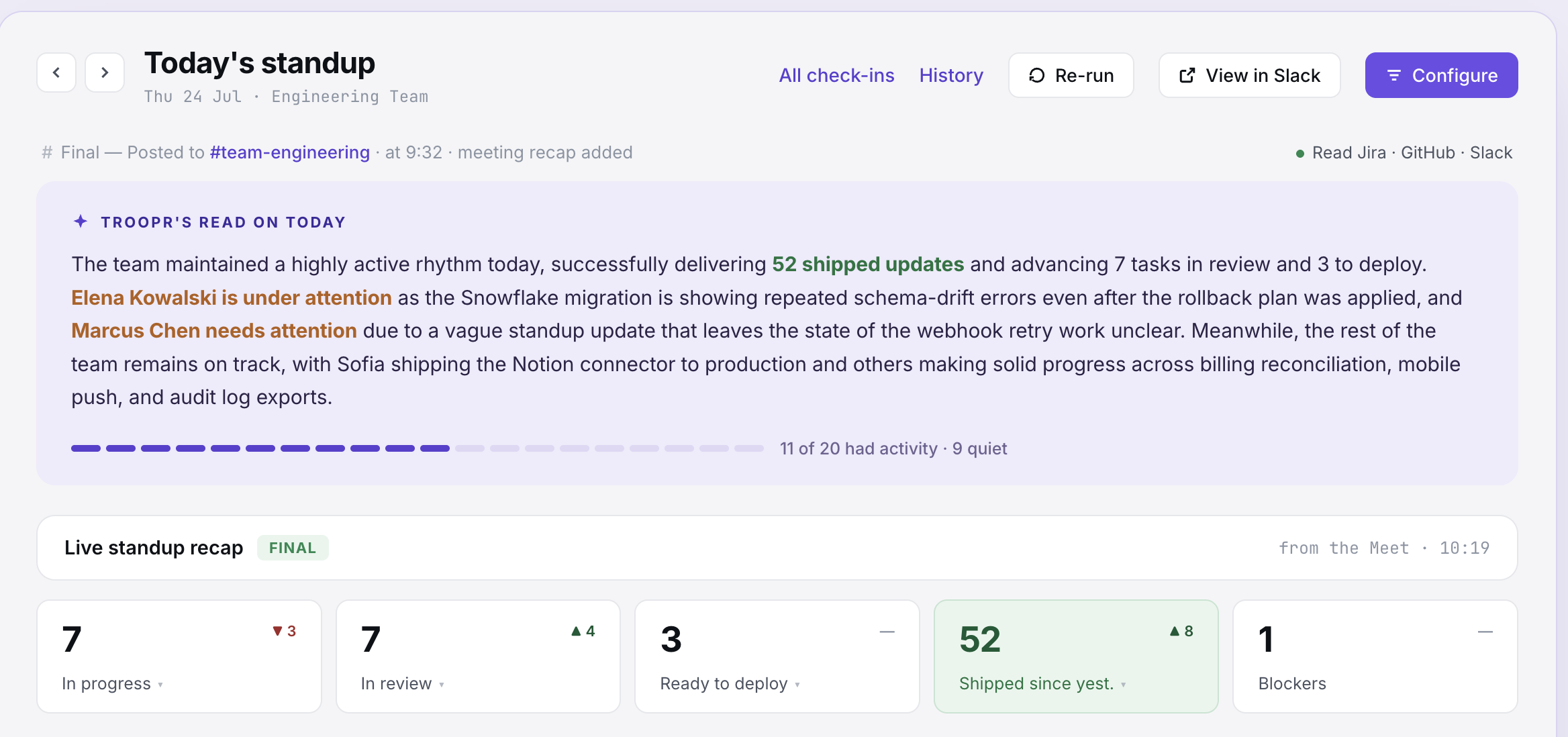
At the top of the report, you can manage the current view and share insights with your team:
Date Selection: Toggle between different dates to review historical standup data.
Share to Slack: Instantly push the report summary to a designated Slack channel.
Download: Export the report data for external documentation or analysis.
Troopr's Read on Today
This section uses AI to synthesize all team updates into a concise narrative. Instead of reading every individual entry, you can quickly grasp the "big picture" of what the team is focused on, common themes in the work being done, and any overarching sentiment or trends for the day.
Live Standup Recap
The recap section provides high-level metrics to track participation and engagement at a glance:
Participation Rate: See the percentage of the team that has completed their check-in.
Blockers: A count of how many team members have explicitly flagged an issue preventing progress.
Activity Links: Total number of Jira issues, GitHub PRs, or other tool links mentioned in the updates.
Needs Attention and "Ask Directly"
Troopr identifies potential risks in the Needs Attention section. This highlights team members who may be stuck or haven't provided an update. To streamline follow-ups, the Ask directly feature provides a one-click suggestion to nudge specific team members for more information or to offer help, ensuring no one stays blocked for long.
Per-Person Updates
The bottom of the report breaks down updates by individual team member. Each entry typically includes:
Check-in Responses: The text provided by the user during their automated check-in.
Linked Activity: A list of work items (like Jira tickets or pull requests) that were automatically associated with the user's update based on their activity in integrated tools.
Status Indicators: Visual cues showing if the user is "Done" for the day or still has pending tasks.