Manage GitHub Connection
GitHub is connected at the workspace level so Troopr can read commits, pull requests, and merges. This is how Troopr knows when work actually ships, not just when it was discussed or moved in Jira. GitHub is an optional signal source for standups and reports.
View the GitHub connection
Select Connections from the bottom of the sidebar.
Click Manage connection next to GitHub.
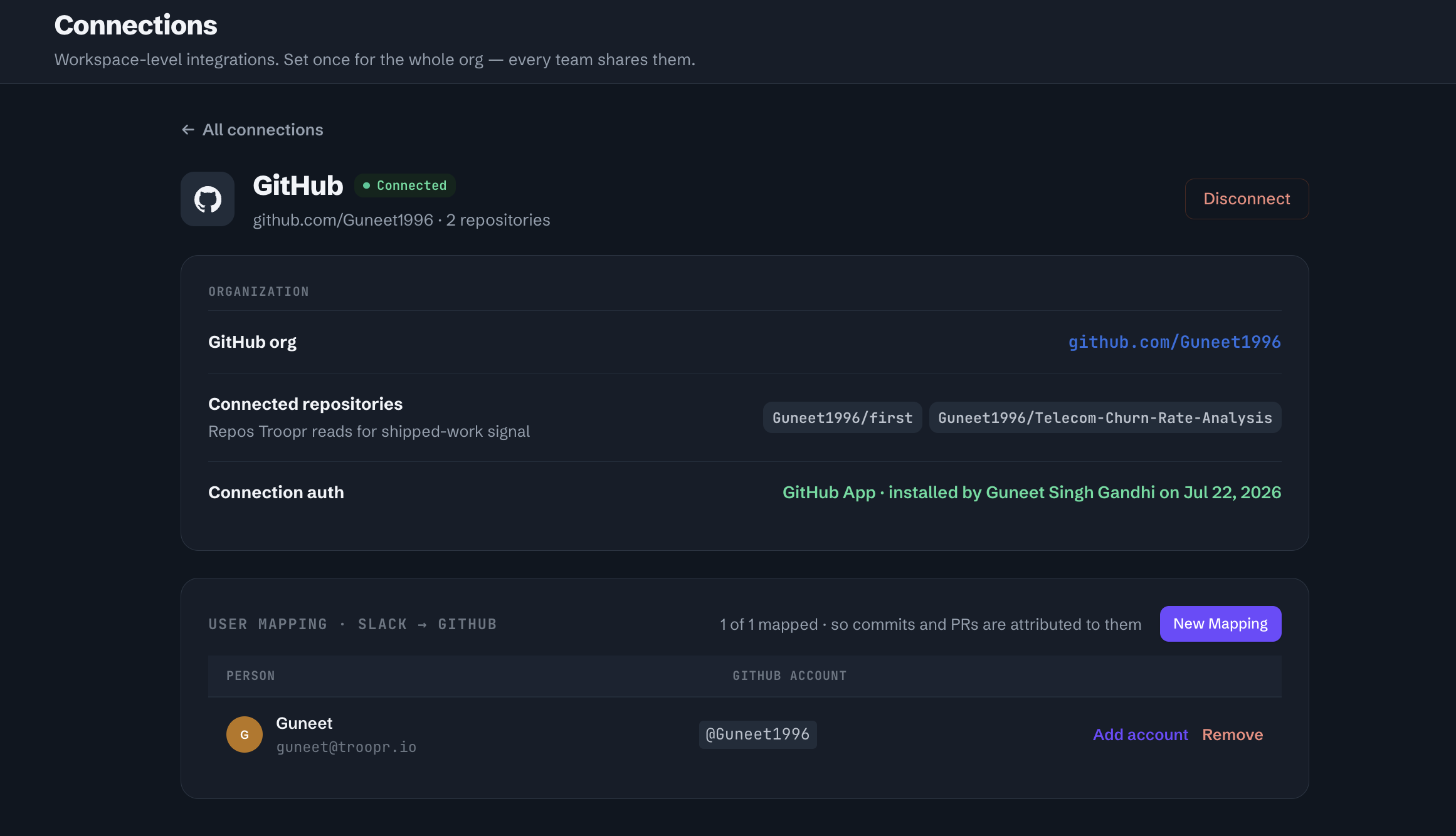
The detail page shows:
GitHub org — The connected GitHub organization or account.
Connected repositories — The repos Troopr reads for shipped-work signal.
Connection auth — The GitHub App install and who connected it.
Map Slack users to GitHub accounts
User mapping lets Troopr attribute commits and PRs to the correct team member. The mapping table is shown below the connection details.
On the GitHub connection detail page, scroll to User Mapping: Slack to GitHub.
Click New Mapping to map a Slack user to their GitHub account.
To update an existing mapping, click Add account or Remove next to the user.