
Ask Troopr
Ask Troopr is a conversational interface in the Troopr web app where you ask plain-language questions about your team's work. Every answer is grounded in real activity from your team's Jira, GitHub, and Slack, not guesswork or stale summaries.
Ask Troopr is scoped to the Team you are currently viewing. You must be a member of a Team to use it, and every question you ask is answered in the context of that Team's connected Slack channel, Jira projects, GitHub repos, and member roster.
If you belong to multiple Teams, switch to the relevant Team first. Ask Troopr always answers in the context of the Team you have selected.
What you can ask
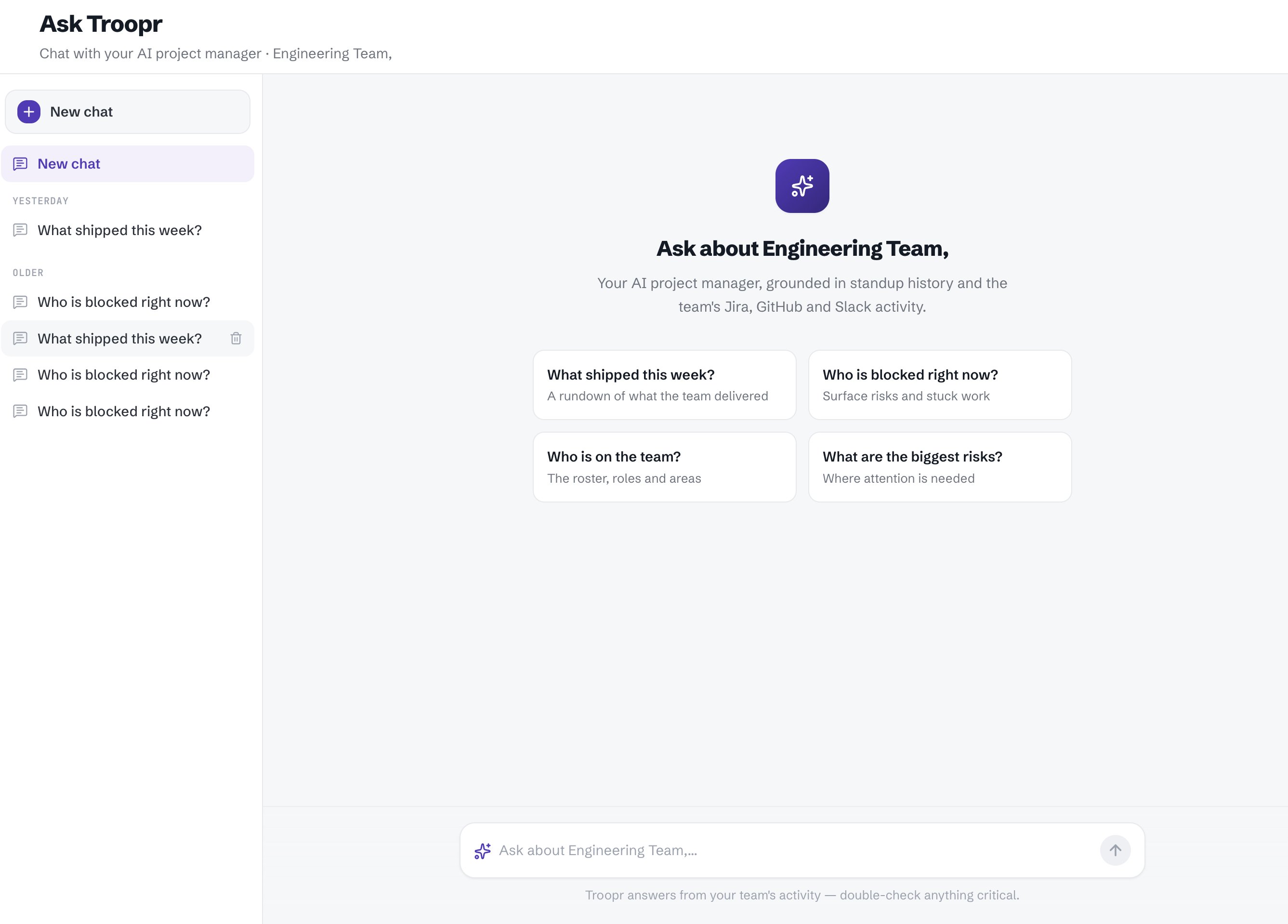
Ask Troopr works like chatting with a project manager who has full context on your team. You can type any question in natural language. To help you get started, the landing screen shows four suggested prompts:
What shipped this week? — Get a rundown of what the team delivered, broken down by person, including merged PRs, ticket movements, and deploys.
Who is blocked right now? — Surface risks and stuck work across the team.
Who is on the team? — See the roster, roles, and areas of ownership.
What are the biggest risks? — Identify where attention is needed before problems escalate.
These are starting points, not limits. You can ask follow-up questions, request a specific date range, or ask about a particular team member's activity.
Ask a question
Open Ask Troopr. In the Troopr web app, select Ask Troopr from the sidebar.
Verify your Team. Confirm you are viewing the correct Team. The header displays the Team name (for example, "Chat with your AI project manager · Engineering Team").
Type or select a question. Enter your question in the input field at the bottom of the screen, or click one of the suggested prompt cards.
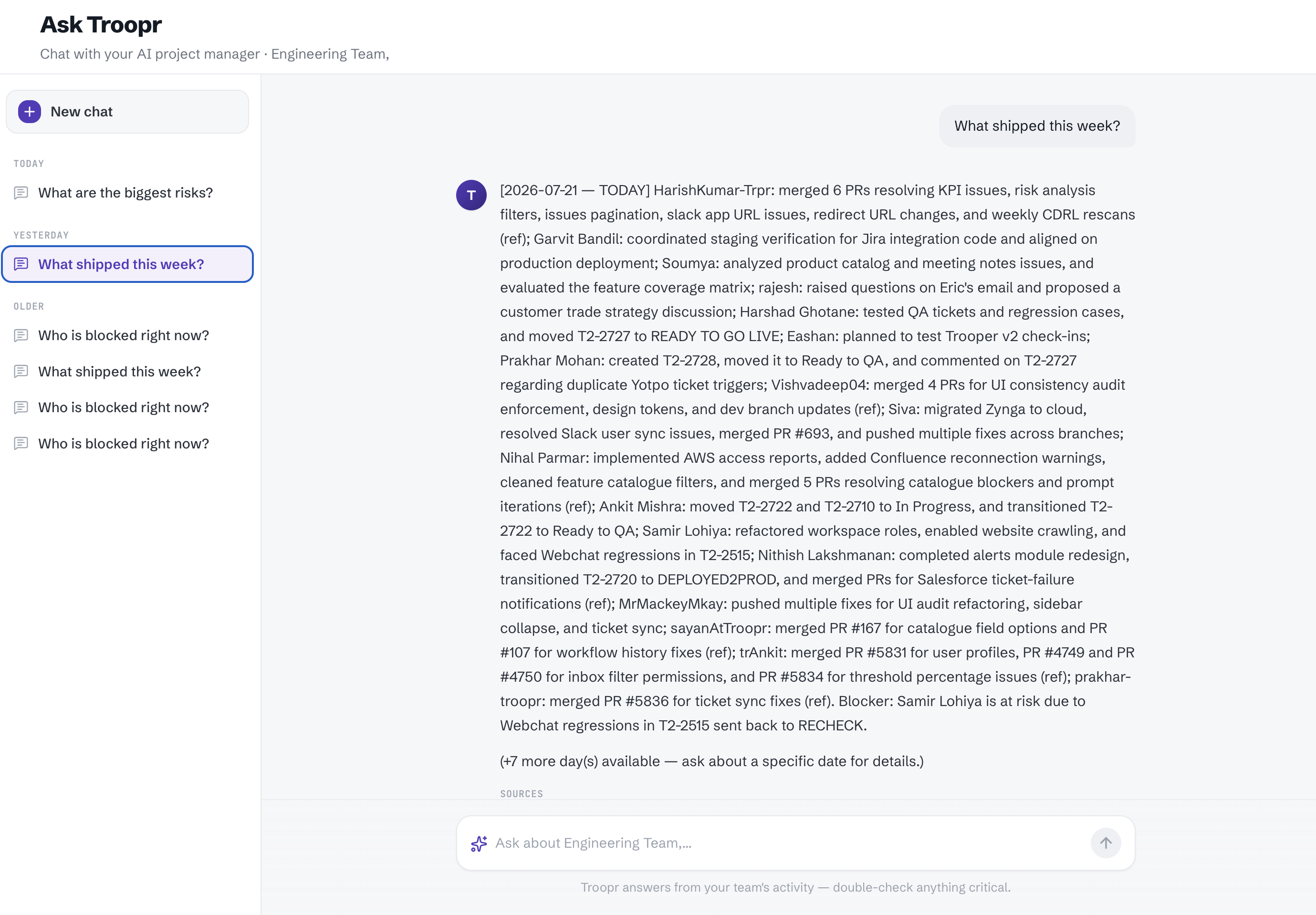
Review the response. Troopr returns an answer drawn from your team's Jira, GitHub, and Slack activity. A Sources section appears below the response so you can trace claims back to the underlying signals.
[!TIP]
Ask follow-up questions in the same chat to drill into specifics. For example, after asking "What shipped this week?" you can ask "Tell me more about what Ankit worked on" or "What about a specific date?"
Manage your chat history
Ask Troopr saves your past conversations in the left sidebar, grouped by time. You can:
Start a new conversation. Click New chat at the top of the sidebar.
Revisit a past conversation. Click any previous chat in the sidebar to reopen it.
Delete a conversation. Hover over a chat in the sidebar and click the delete icon to remove it.
How Ask Troopr builds its answers
Ask Troopr does not search the internet or guess. It reads the same signals that a human project manager would read for your Team:
Jira ticket status changes, assignments, and comments
GitHub commits, pull requests, and merges
Relevant Slack channel discussion
Responses are grounded in this activity. The Sources section at the bottom of each answer lets you verify where the information came from.